

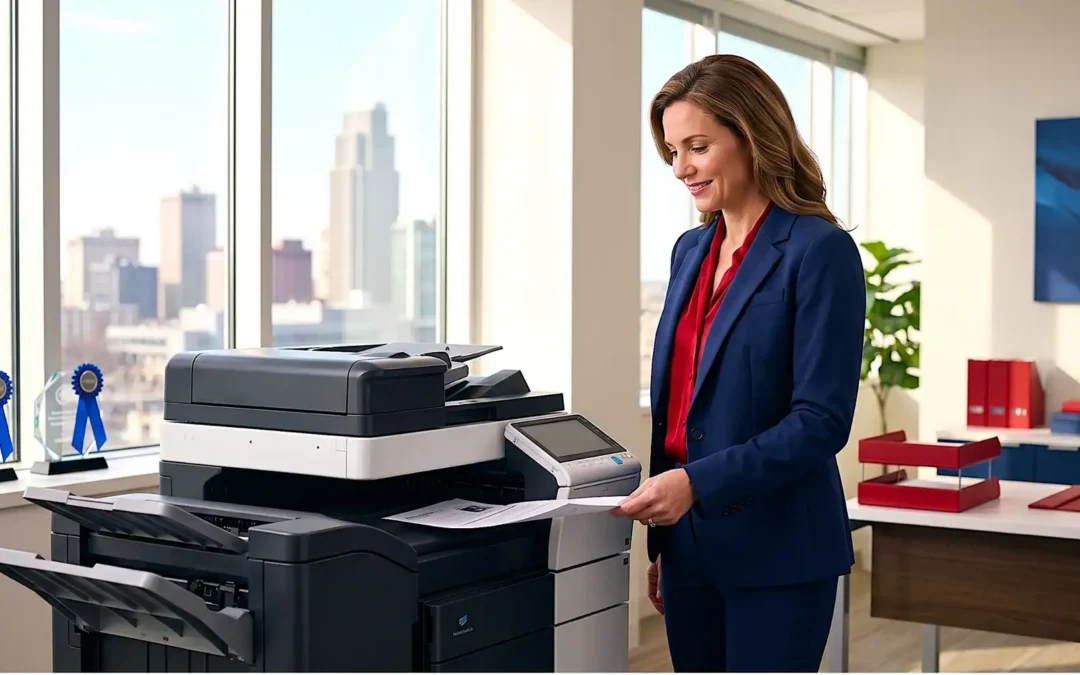
In 2026, an office copier is far more than a simple duplicating machine. It’s a central hub for document management, a key component of your digital workflow, and a significant operational investment. Navigating the myriad of features, speeds, and software integrations can be daunting. This guide cuts through the noise to help you make an informed decision, ensuring your next office copier truly empowers your business with a predictable ROI.
TL;DR: How to Choose a Copier in 2026
- Assess Actual Usage: Evaluate your exact monthly print volume and required print speed to avoid overbuying or under-equipping your team.
- Look Beyond the Hardware: Prioritize advanced scanning, workflow automation, and robust cybersecurity features that integrate with your existing cloud infrastructure.
- Calculate Total Cost of Ownership (TCO): Factor in equipment, toner, maintenance, service agreements, and the hidden cost of downtime, rather than just the initial purchase price.
- Prioritize the Partner over the Brand: The right solution is a combination of equipment, workflow, service, support, and TCO. A local, responsive partner ensures your workplace keeps working better.
Essential Features: Beyond Basic Copying
Modern office copiers are feature-rich multifunction devices (MFDs) designed to streamline operations and eliminate administrative bottlenecks. Here are the must-have features to look for in 2026:
Automatic Duplexing: This allows for automatic two-sided printing and scanning, drastically reducing paper waste and saving time. It is a non-negotiable standard feature for any business-grade copier.
Advanced Scanning & OCR Capabilities: Beyond simply digitizing documents, your workflow requires:
- Scan-to-Cloud Integration: Seamlessly route scanned documents directly to email addresses, network folders, or cloud storage platforms like Google Workspace, Dropbox, and Microsoft 365.
- Optical Character Recognition (OCR): Convert scanned images into editable, searchable text documents instantly, eliminating manual data entry.
- Automatic Document Feeder (ADF): Essential for rapidly scanning or copying large, multi-page packets.
Network Connectivity & Mobile Printing: In today’s hybrid work environment, wireless connectivity and mobile printing capabilities (Apple AirPrint, Microsoft Universal Print, Wi-Fi Direct) are essential. Your team needs to print securely from anywhere, on any device.
Robust Cybersecurity Features: MFDs are networked computers, making data security paramount. Ensure your device includes:
- User Authentication: Restrict access to sensitive documents with PINs, key fobs, or biometric access.
- Data Encryption & Auto-Wiping: Protect data temporarily stored on the copier’s hard drive and ensure sensitive information is automatically overwritten.
- Secure Print Release: Hold print jobs in the cloud or local network until the user physically authenticates at the machine, preventing confidential documents from sitting on the output tray.
Speed and Volume: Matching the Machine to Your Workload
Choosing the right speed and volume capacity prevents workflow bottlenecks and premature equipment wear.
Speed (Pages Per Minute – PPM):
- Small Offices (Low Volume): 20–30 PPM provides reliable, everyday efficiency.
- Mid-Sized Offices (Moderate to High Volume): 40–60 PPM keeps larger, active departments moving.
- Large Offices (High Volume): 60–80+ PPM handles massive production runs and complex finishing tasks.
Volume (Monthly Duty Cycle vs. Recommended Monthly Print Volume):
- Monthly Duty Cycle: The absolute maximum theoretical number of pages a machine can handle in a month before risking severe breakdown.
- Recommended Monthly Print Volume: The realistic, optimal usage figure (typically 10-20% of the duty cycle) suggested by the manufacturer to maintain peak performance and longevity. Always base your purchasing decision on the recommended volume, not the duty cycle.
Don’t Choose a Copier Brand Alone—Choose the Right Business Solution
The office copier market features excellent equipment from well-established manufacturers like Canon, Xerox, Kyocera, Ricoh, HP, and Sharp. However, choosing the right logo on the plastic casing is only 20% of the decision.
Your competitive advantage comes from choosing the right holistic business solution. The true value of your investment is determined by a simple formula: Equipment + Workflow + Service + Support + Total Operating Cost.
Manufacturer quality absolutely matters, but local service capability, parts availability, technician expertise, and ongoing account management dictate your daily success. A top-tier machine is useless if you are waiting three days for an out-of-state technician to fix a paper jam. When evaluating your options in the Midwest, partner with local experts who provide complimentary diagnostics and proactive maintenance to keep your supplies on autopilot.
Total Cost of Ownership (TCO): The True Price Tag
The initial purchase price or monthly lease is just one piece of the puzzle. Understanding the Total Cost of Ownership (TCO) is essential for securing a predictable ROI:
- Initial Purchase/Lease Cost: Leasing preserves capital and allows for flexible technology upgrades, while purchasing provides long-term asset ownership.
- Consumables (Toner & Paper): Compare toner yields and cost-per-page metrics. High-volume offices can lose thousands annually to inefficient consumable rates.
- Maintenance & Service Agreements: A comprehensive service agreement covers parts, labor, and consumables, offering a flat, predictable cost while minimizing the hidden, massive cost of productivity downtime.
- Energy Consumption: Modern, eco-friendly models drastically reduce power consumption during idle times.
Choosing the right office copier in 2026 is a strategic decision that impacts your security, daily efficiency, and bottom line. When you are ready to put your workplace on autopilot, our local experts are here to help you build a solution that truly gets “Your workplace, working better.”
Frequently Asked Questions About Choosing an Office Copier
How do I choose the right office copier for my business? Start by evaluating your exact monthly print volume, required print speed, scanning requirements, and workflow integrations. Compare the total cost of ownership, including the equipment, toner, service, and local maintenance support, rather than just the hardware price.
How many pages per minute should an office copier print? Smaller offices generally require 20–30 pages per minute (PPM), while medium-volume teams operate best with 40–60 PPM. High-volume departments require 60–80+ PPM. The right speed is dictated by your actual daily workflow spikes, not just the size of your staff.
What is more important: copier duty cycle or recommended monthly print volume? Recommended monthly print volume is the most accurate metric when selecting equipment. The duty cycle represents a machine’s theoretical maximum stress limit, while the recommended volume reflects the actual, sustainable workload for healthy daily operation.
What should be included in the total cost of owning a copier? A true TCO calculation must include the purchase or lease payment, toner, paper, maintenance kits, comprehensive service agreements, energy use, and the potential financial impact of lost productivity during equipment downtime.
Should I lease or buy an office copier? Buying eliminates recurring lease payments and provides long-term ownership. Leasing preserves cash flow, offers potential tax benefits, and makes it significantly easier to upgrade your technology every 3 to 5 years to stay ahead of cybersecurity threats.